Basic Troubleshooting of SolarEdge Inverters and Battery Systems
SolarEdge systems are common throughout the Sacramento area, and when they are working properly, they usually do a good job of giving homeowners visibility into solar production, battery status, and system alerts. But when something goes wrong, the app does not always tell the whole story.
If your SolarEdge inverter is showing an error, your battery is not charging, your monitoring has gone offline, or your electric bill is still higher than expected, there are a few basic things you can check before assuming the worst. Some issues are simple communication problems. Others require proper electrical testing, manufacturer support, or a qualified technician familiar with solar and battery systems.
Start With the SolarEdge Monitoring App
The first place to look is the SolarEdge monitoring platform or the mySolarEdge app. Check whether the system is reporting current production, battery charge level, consumption data, and any active alerts.
If the app has not updated in hours or days, that does not always mean the solar system has stopped producing. It may simply mean the inverter lost its internet connection. On the other hand, if the app is online and showing zero production during normal daylight hours, that points more toward an actual production issue.
Things to look for include:
- Is the inverter online or offline?
- Is the system producing during the day?
- Are there any active error codes or alerts?
- Is the battery charging and discharging normally?
- Does the production data match what you would expect for the weather and time of year?
Check the Inverter Display or LED Status
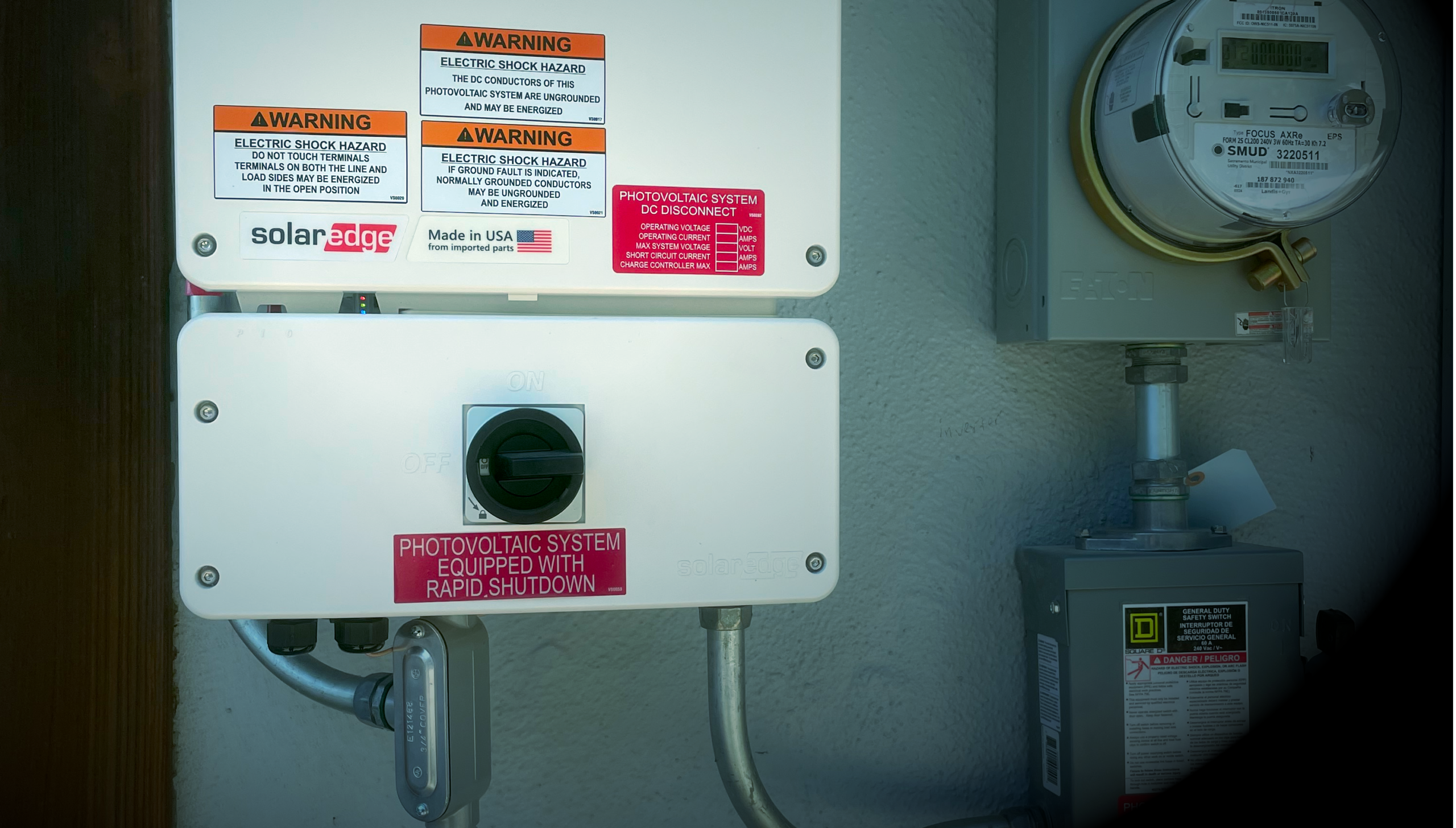
Many SolarEdge inverters use LED indicators instead of a full display. The lights can give basic clues about whether the inverter is producing, communicating, or reporting a fault.
A green production light is usually a good sign. A red fault light, repeated blinking pattern, or an inverter that appears completely dead should be taken more seriously. If the inverter has a screen or SetApp access, error codes can help narrow down the issue, but the code alone is not always enough to diagnose the root cause.
For safety, homeowners should not remove inverter covers, open electrical equipment, or attempt internal testing. Solar and battery systems can contain hazardous AC and DC voltage even when the system appears to be off.
Confirm the AC Disconnect and Breakers Are On
One of the simplest things to check is whether the solar breaker, AC disconnect, or battery breaker has been turned off. This can happen after other electrical work, utility work, a service call, or by accident.
Check the main electrical panel, any solar subpanel, the AC disconnect, and the inverter’s external switches. If a breaker is tripped, do not repeatedly reset it. A breaker that trips again may indicate a real electrical fault that needs to be diagnosed.
Look for Communication Problems
A SolarEdge system can be producing power while still showing offline in the app. This usually points to a communication issue rather than a production issue.
Common causes include:
- Wi-Fi password changes
- Router replacement
- Weak Wi-Fi signal at the inverter
- Cellular modem issues
- Ethernet connection problems
- Monitoring ownership not transferred after a home sale
For Sacramento homeowners buying or selling a home with solar, this comes up frequently. The system may be physically working, but the new owner may not have access to monitoring, or the monitoring may still be tied to the original installer.
If you are in the middle of a real estate transaction, a basic visual check is not enough. A proper solar inspection and written report can help document what equipment is installed, whether the system is communicating, and whether there are obvious issues that need follow-up.
Battery Systems Need More Than a Quick App Check
SolarEdge battery systems add another layer of troubleshooting. A battery may be online but not charging, charged but not discharging, or operating differently than the homeowner expects because of system settings, backup reserve settings, utility rate schedules, or operating mode.
Basic things to check include:
- Battery state of charge
- Backup reserve percentage
- Operating mode or energy profile
- Whether the battery is enabled in monitoring
- Whether there are battery-specific alerts
- Whether the system is designed for backup or self-consumption only
It is also important to understand that not every battery system backs up the entire home. Some systems back up selected loads only. Others may be configured primarily for time-of-use savings rather than whole-home backup.
Compare Production Against the Utility Bill
One of the most common calls I see is a homeowner saying, “My app says the system is working, but my electric bill is still high.” That can happen for several reasons.
The solar system may be underproducing, but it could also be a billing, usage, rate plan, seasonal production, or monitoring interpretation issue. In the Sacramento region, summer air conditioning loads, PG&E or SMUD billing structure, true-up timing, and time-of-use rates can all affect how the bill looks.
This is where a basic inverter check turns into a more complete system optimization and utility bill analysis. The question is not just whether the inverter is on. The better question is whether the system is performing the way it should for that home.
When a Reset May Help
In some cases, a standard power cycle may clear a temporary communication or inverter issue. This should only be done using the manufacturer’s recommended shutdown and startup procedure for your specific equipment.
Do not guess. SolarEdge systems can include an inverter, optimizers, battery, backup interface, disconnects, and breakers. The shutdown sequence matters, especially on systems with batteries.
SolarEdge provides official support resources for system owners through its support center, which can be found here: SolarEdge System Owner Support.
When to Stop Troubleshooting and Call Someone
Basic troubleshooting is useful, but there is a point where guessing becomes expensive. If the system has an active fault, repeated breaker trips, no production during daylight hours, battery errors, missing monitoring, or unexplained underperformance, it is time to have the system looked at properly.
Professional troubleshooting may include:
- Reviewing inverter and battery error history
- Checking AC and DC electrical values
- Verifying production against expected performance
- Confirming monitoring and communication status
- Checking optimizer-level production when available
- Documenting findings in a written report
- Helping determine whether a SolarEdge warranty or RMA claim may be needed
For older systems, orphaned systems, and homes where the original installer is no longer available, this kind of documentation can be especially valuable.
SolarEdge Troubleshooting in the Sacramento Area
McKnight Solar Diagnostics helps Sacramento-area homeowners, buyers, sellers, and real estate professionals get clearer answers about existing solar and battery systems. Whether the concern is a SolarEdge inverter fault, missing monitoring, low production, battery behavior, or a confusing utility bill, the goal is to document what is happening and explain it in plain English.
If you need help figuring out whether your system is producing correctly, start with a proper solar diagnostics and repair evaluation. A little troubleshooting up front can prevent a lot of wasted time, missed production, and unnecessary guesswork.
Leave a Reply