A Homeowner’s Guide to Troubleshooting SolarEdge Inverters
SolarEdge systems are common throughout the Sacramento region, and when they’re working properly, most homeowners never think twice about them. The trouble starts when production drops unexpectedly, the monitoring app stops updating, or the inverter displays an error message that doesn’t make much sense.
This guide is intended to help homeowners perform a few basic checks before scheduling service. It is not a substitute for a professional solar diagnostic inspection, and it is definitely not a reason to remove covers or work inside energized electrical equipment.
As someone who spends a lot of time troubleshooting residential solar systems throughout the Sacramento area, I’ve found that many SolarEdge issues are caused by communication problems, monitoring interruptions, or system configuration changes rather than outright equipment failure. Understanding the basics can help you determine whether you’re dealing with a simple issue or something that requires professional solar diagnostics and repair.
SolarEdge Inverter Troubleshooting: Start With the Basics
Before assuming the inverter has failed, start with the simple things. Many SolarEdge service calls turn out to be a tripped breaker, a lost internet connection, a monitoring issue, or a system that is behaving normally due to weather or grid conditions.
Check the SolarEdge Monitoring App
If your SolarEdge app shows no production, first check the timestamp on the data. Sometimes the system is producing normally, but the monitoring information hasn’t updated. In that case, you’re likely dealing with a communication problem rather than a production problem.
If the app hasn’t updated in several hours or days, the inverter may have lost communication with SolarEdge’s monitoring servers. This commonly happens after a router replacement, Wi-Fi password change, power outage, or internet service interruption.
Check the Inverter Status
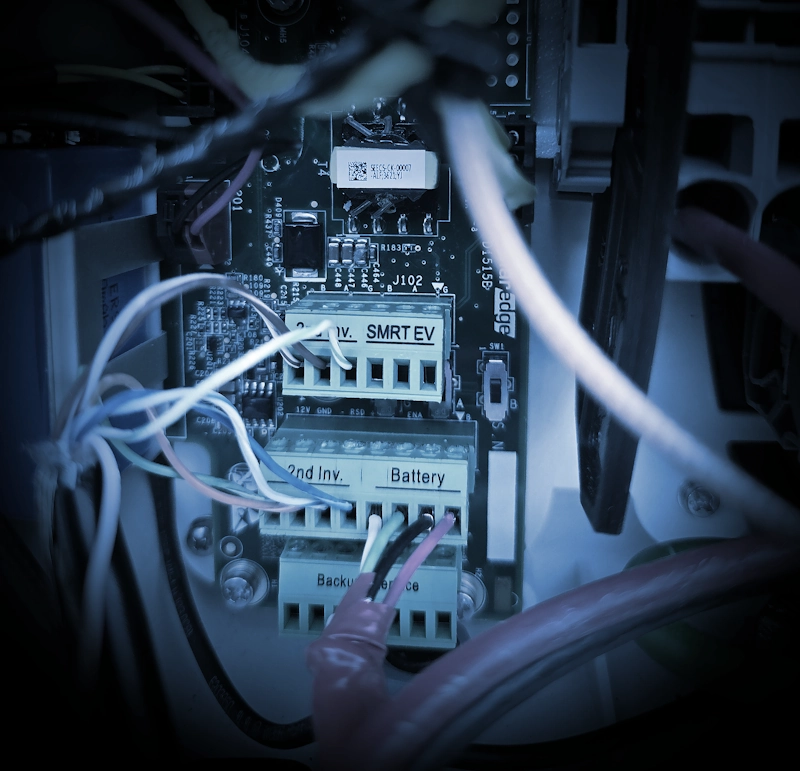
Depending on the model, your SolarEdge inverter may have indicator lights, an LCD display, or status information available through SetApp. During daylight hours, the inverter should indicate that it is operating normally and producing power.
If you see warning messages, fault codes, or production values that appear abnormal, take photos before attempting any resets. Those details can be extremely helpful when diagnosing the issue later.
Common SolarEdge Inverter Problems Homeowners Encounter
SolarEdge Monitoring Not Updating
This is one of the most common complaints I hear. Often the system is still producing electricity, but the monitoring platform has lost communication. Before assuming the inverter has failed, determine whether the problem is with production or reporting.
Low Solar Production
If your system is producing less energy than normal, there can be several causes. Shade growth, dirty modules, failed optimizers, wiring issues, inverter faults, utility voltage problems, and system design limitations can all affect performance.
The challenge is determining which one is responsible. That’s where a proper diagnostic evaluation becomes valuable. Production should always be compared against expected output before conclusions are made.
SolarEdge Error Codes
If the inverter displays an error code, document it before resetting anything. Some codes represent temporary conditions while others indicate a fault that requires testing and repair.
Having the exact error code, inverter model, serial number, and recent production history significantly speeds up the troubleshooting process.
System Went Offline After Internet Changes
If you recently replaced your router, changed your Wi-Fi password, upgraded internet service, or switched providers, there’s a good chance the inverter simply needs to be reconnected to the network.
In many cases the solar system continues producing normally even though monitoring data is no longer reaching the app.
Safe SolarEdge Troubleshooting Steps for Homeowners
- Verify that the monitoring data is current and updating.
- Check for any tripped solar breakers.
- Confirm whether any internet equipment has recently been changed.
- Take photos of fault messages or error codes.
- Compare current production against previous months and seasons.
- Review recent utility bills for signs of declining solar performance.
- Avoid opening electrical equipment or removing covers.
Important: If you smell burning, hear arcing, see damaged equipment, notice repeated breaker trips, or observe visible signs of overheating, stop troubleshooting and have the system evaluated by a qualified professional. Repeatedly resetting equipment can sometimes make diagnosis more difficult and may create additional safety concerns.
When You Need Professional Solar Diagnostics and Repair
Homeowner troubleshooting can help identify obvious issues, but it only goes so far. If your SolarEdge inverter remains offline, production has dropped significantly, fault codes keep returning, or your utility bill suddenly increased, it’s time to investigate further.
At McKnight Solar Diagnostics, I work with homeowners throughout Sacramento and the surrounding communities to identify the root cause of solar performance issues. That includes inverter diagnostics, optimizer troubleshooting, communication problems, monitoring issues, production analysis, and utility bill investigations.
Many solar companies focus on installation. My focus is helping homeowners understand why an existing system is not performing the way it should.
If you’re experiencing SolarEdge inverter problems, learn more about my Solar Diagnostics and Repair services.
Official SolarEdge Support Resources
SolarEdge also provides a variety of resources for homeowners, including troubleshooting information, monitoring support, and product documentation. You can visit the official SolarEdge Support Center for additional information:
Final Thoughts
Not every SolarEdge inverter issue is a major problem. In fact, many service calls turn out to be communication issues, monitoring interruptions, or easily corrected configuration changes.
That said, guessing can be expensive. If production has declined, monitoring has gone offline, or your utility bills no longer align with expected solar performance, taking a systematic approach to troubleshooting can save time and frustration.
Start with the basics, document what you find, and if the problem persists, consider a professional diagnostic evaluation to determine exactly what’s happening before spending money on unnecessary repairs or replacements.
Leave a Reply